Das Problem
Generische Etikettierungstools (Word, Online-Generatoren) produzieren nicht konforme GS1/EAN-Codes, fehlerhafte Etikettenvorlagen und keine Prüfspur. Abgelehnte Lieferungen und Umetikettierungen beim Kunden kosten 500–2.000 € pro Vorfall.
Für wen?
Logistik- und QA-Manager bei Lieferanten, die an Einzelhandelsketten, Automobil- und Pharmaunternehmen mit strengen GS1/EAN/UDI-Etikettierungsanforderungen liefern.
Implementierungsplan
Screenshots
Sehen Sie die Anwendung in Aktion
Compatibility to assess
Systems and equipment for integration
This list presents systems and equipment for assessing an integration. Available capabilities, compatible versions and workflows must be confirmed for each project; a logo is not evidence of an installed connector or a validated workflow.
ERP
Ihr System nicht gefunden?
Warum Rosistem?
Der schnellste Weg zur Digitalisierung Ihres Lagers
De la Design la Tipărire în Câțiva Pași
Pas 1: Proiectați template-ul de etichetă
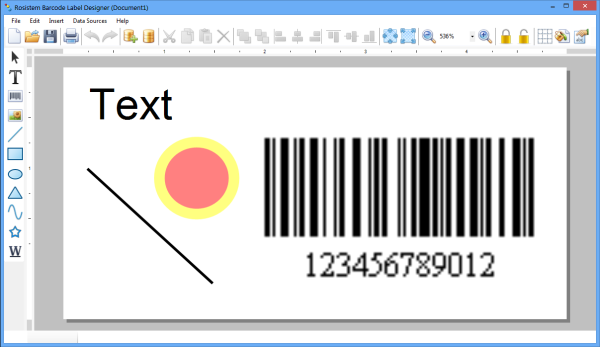
Editorul vizual drag-and-drop permite crearea de etichete personalizate: logo, câmpuri text, coduri de bare (Code128, QR, EAN-13, GS1-128, DataMatrix, SSCC-18), imagini. Template-urile se salvează și reutilizează.
Pas 2: Conectați la sursa de date
Câmpurile dinamice se populează din WMS (denumire produs, lot, dată expirare, greutate, preț) sau din import Excel/CSV. O etichetă template → sute de etichete diferite generate automat.
Pas 3: Tipăriți pe orice imprimantă termică
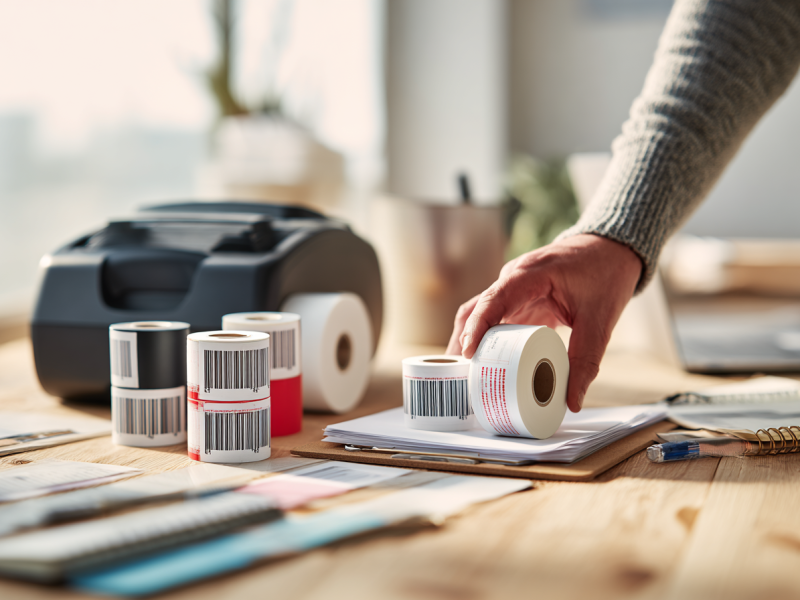
Suport nativ pentru Zebra (ZPL), Sato, Honeywell, TSC, Citizen și orice imprimantă compatibilă Windows. Puteți tipări la cântar direct (integrat cu cantare DIGI/SWS).
Pas 4: Monitorizare și re-tipărire
Istoricul tipăririlor este înregistrat în WMS. Re-tipăriți orice etichetă cu un click, cu datele actualizate. Rapoarte de consum de etichete per depozit și operator.
Häufig gestellte Fragen
What barcode standards are supported?
We support all GS1 standards: EAN-8, EAN-13, UPC-A, UPC-E, Code128, GS1-128, ITF-14, GS1 DataBar, QR Code, Data Matrix, PDF417, Aztec, SSCC-18. We can also generate proprietary codes for internal use.
Does the software work standalone, without any other system?
Yes. The barcode software is fully standalone — design labels in the WYSIWYG editor and print directly. Data can be typed manually, imported from CSV/Excel, pulled from ODBC databases, or generated automatically from a series. No external system required.
What data sources can be used at print time?
The Barcode Label Designer connects to CSV, Excel (XLS/XLSX), ODBC databases (SQL Server, MySQL, Oracle, PostgreSQL, Access) and built-in number/date series. The same label template can be reused across multiple data sources, with variable fields populated at print time.
Does it work with DIGI scales?
Yes. We have direct integration with DIGI SP, DIGI SM and SWS series scales. The measured weight is captured and inserted into the label automatically at printing.
How do I update prices on labels?
Prices come from your data source — Excel sheet, database query or external feed — and are read fresh on every print. No stale stock of pre-printed labels: change the price at the source and re-print on demand.
Bereit, Rosistem zu implementieren Barcode Software?
Fordern Sie eine kostenlose, personalisierte Demo für Ihr Unternehmen an. Unser Berater meldet sich innerhalb von 24 Stunden.
Weitere Rosistem-Lösungen